📄 expo/versions/v53.0.0/sdk/storereview
File: storereview.md | Updated: 11/15/2025
Source: https://docs.expo.dev/versions/v53.0.0/sdk/storereview
Hide navigation
Search
Ctrl K
Home Guides EAS Reference Learn
Reference version
SDK 53
Archive Expo Snack Discord and Forums Newsletter
 Expo StoreReview
A library that provides access to native APIs for in-app reviews.
Android
iOS
Bundled version:
~8.1.5
Copy page
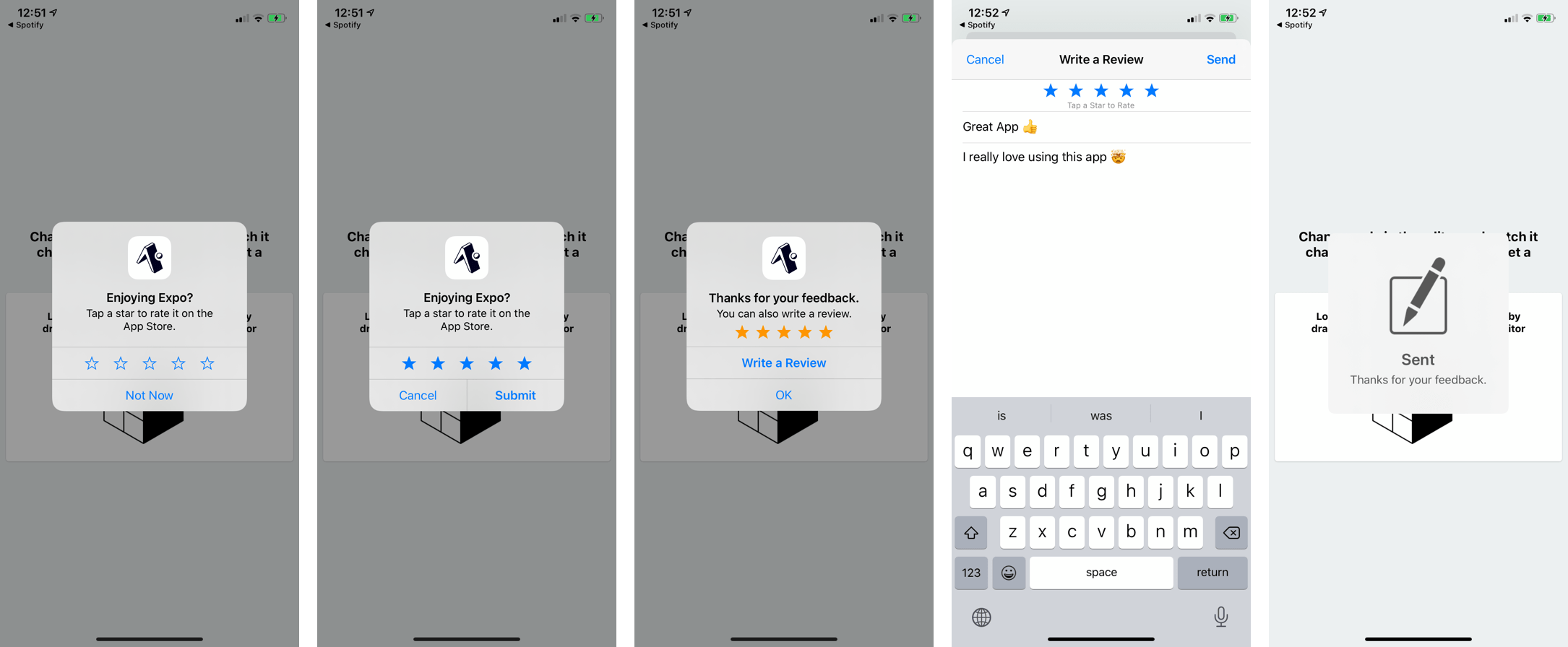
expo-store-review is a library that provides access to ReviewManager API on Android 5+ and SKStoreReviewController API on iOS. It allows you to ask the user to rate your app without leaving the app itself.
Terminal
Copy
- npx expo install expo-store-review
If you are installing this in an existing React Native app
, make sure to install expo
in your project.
It is important that you follow the Human Interface Guidelines for iOS and Guidelines for Android when using this API.
Specifically:
- Don't call
StoreReview.requestReview()from a button - instead try calling it after the user has finished some signature interaction in the app. - Don't spam the user.
- Don't request a review when the user is doing something time sensitive like navigating.
- Don't ask the user any questions before or while presenting the rating button or card.
Write reviews
Android
There is no equivalent redirect on Android, you can still open the Play Store to the reviews sections using the query parameter showAllReviews=true like this:
Android Play Store example
Copy
const androidPackageName = 'host.exp.exponent'; // Open the Android Play Store in the browser -> redirects to Play Store on Android Linking.openURL( `https://play.google.com/store/apps/details?id=${androidPackageName}&showAllReviews=true` ); // Open the Android Play Store directly Linking.openURL(`market://details?id=${androidPackageName}&showAllReviews=true`);
iOS
You can redirect an app user to the "Write a Review" screen for an app in the iOS App Store by using the query parameter action=write-review. For example:
iOS App Store example
Copy
const itunesItemId = 982107779; // Open the iOS App Store in the browser -> redirects to App Store on iOS Linking.openURL(`https://apps.apple.com/app/apple-store/id${itunesItemId}?action=write-review`); // Open the iOS App Store directly Linking.openURL( `itms-apps://itunes.apple.com/app/viewContentsUserReviews/id${itunesItemId}?action=write-review` );
import * as StoreReview from 'expo-store-review';
StoreReview.hasAction()
Returns:
[Promise](https://developer.mozilla.org/en-US/docs/Web/JavaScript/Reference/Global_Objects/Promise) <boolean>
This returns a promise that fulfills to true if StoreReview.requestReview() is capable directing the user to some kind of store review flow. If the app config (app.json) does not contain store URLs and native store review capabilities are not available then the promise will fulfill to false.
Example
if (await StoreReview.hasAction()) { // you can call StoreReview.requestReview() }
StoreReview.isAvailableAsync()
Determines if the platform has the capabilities to use StoreReview.requestReview().
Returns:
[Promise](https://developer.mozilla.org/en-US/docs/Web/JavaScript/Reference/Global_Objects/Promise) <boolean>
This returns a promise fulfills with boolean, depending on the platform:
- On iOS, it will resolve to
trueunless the app is distributed through TestFlight. - On Android, it will resolve to
trueif the device is running Android 5.0+. - On Web, it will resolve to
false.
StoreReview.requestReview()
In ideal circumstances this will open a native modal and allow the user to select a star rating that will then be applied to the App Store, without leaving the app. If the device is running a version of Android lower than 5.0, this will attempt to get the store URL and link the user to it.
Returns:
[Promise](https://developer.mozilla.org/en-US/docs/Web/JavaScript/Reference/Global_Objects/Promise) <void>
StoreReview.storeUrl()
This uses the Constants API to get the Constants.expoConfig.ios.appStoreUrl on iOS, or the Constants.expoConfig.android.playStoreUrl on Android.
On Web this will return null.
Returns:
string | null
ERR_STORE_REVIEW_FAILED
This error occurs when the store review request was not successful.